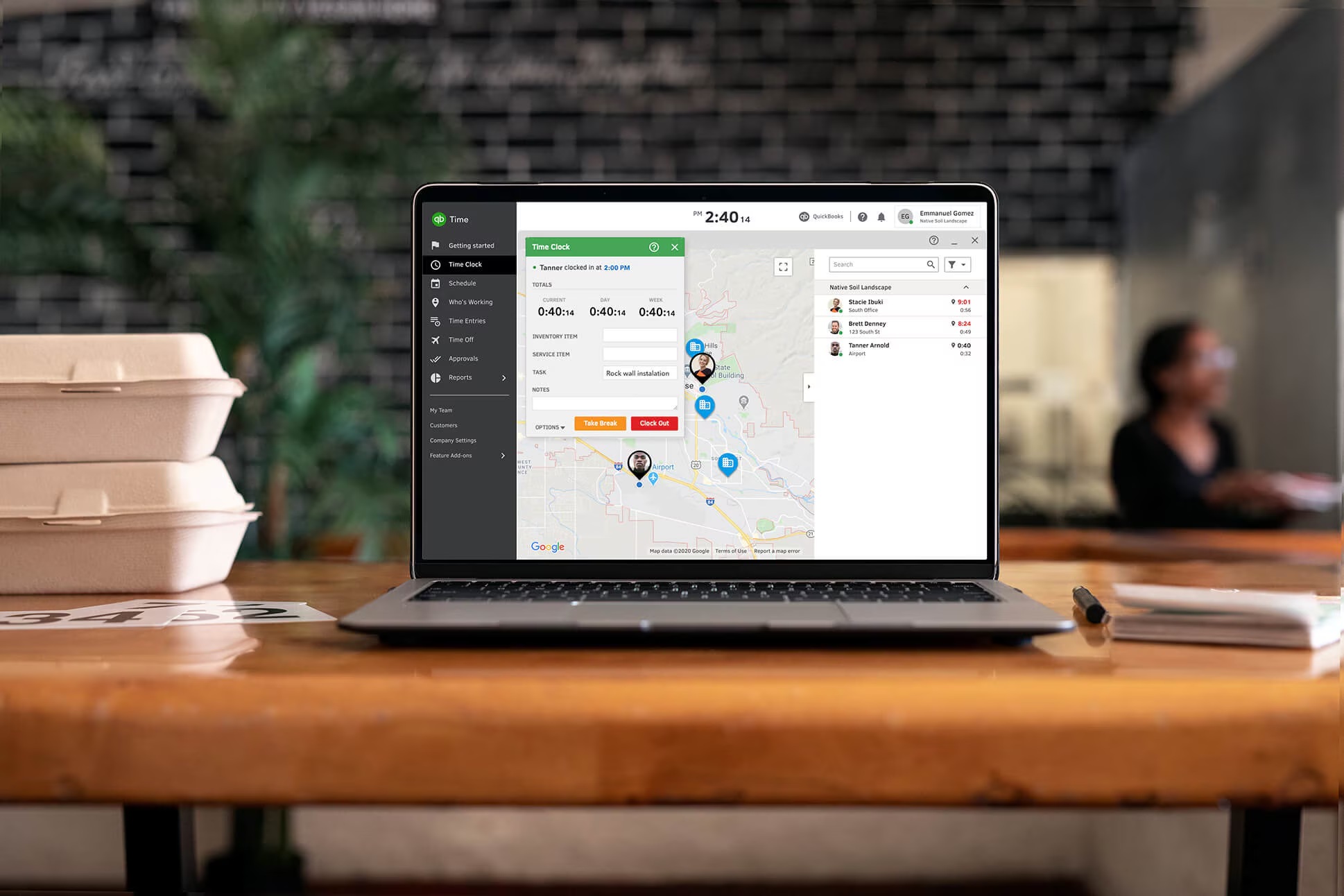
QuickBooks Time Tracking Integration: What It Is and Why It Matters for Time Data
By TotalTime by PathfinderLink | Field-First Time Tracking for Contractors
It's Tuesday afternoon, two days before payroll closes.
Your operations manager opens the timesheet export. Something looks off immediately. Hours for the same employee are logged in two different systems with two different totals. Someone manually updated one. Nobody updated the other.
She calls the supervisor. He's on-site. She leaves a voicemail.
Meanwhile, the QuickBooks entry is sitting there, unfinished, waiting on data that should have flowed in automatically but didn't.
So she does what most payroll admins do in that moment.
She estimates. She adjusts. She marks it close enough and moves on.
For companies managing field teams, hourly employees, or multi-site crews, that moment happens every single payroll cycle. Not because the team isn't capable. Because the way time data flows into QuickBooks is broken and nobody has fixed it at the source.
Now Picture That Same Tuesday — With a Different System
Same operations manager. Same payroll deadline. Same 50-person crew spread across three sites.
But this time, when she opens QuickBooks, the hours are already there. Approved, mapped to the right job codes, synced automatically after the supervisor signed off on-site from his phone at 4 PM yesterday.
She doesn't call anyone. She doesn't leave a voicemail. She doesn't estimate.
She closes payroll in under an hour and gets on with her day.
That's not a fantasy. That's what a properly built QuickBooks time tracking integration actually looks like. And the distance between those two Tuesdays is almost entirely a systems problem, not a people one.
The Real Problem Isn't QuickBooks. It's What Feeds It.
Most businesses assume payroll problems are payroll problems.
They're not.
They're time data problems.
Think about how it actually works in most operations:
Employees log hours in one system. Managers approve in another. Someone exports a spreadsheet. Someone else re-enters it into QuickBooks. A third person checks the totals and hopes the math held together across three manual handoffs.
Every one of those steps is a place where something can go wrong. A wrong job code. A missed decimal. An overtime rule applied inconsistently. None of these are catastrophic on their own. But they compound quietly, cycle after cycle, until payroll becomes something your team dreads instead of something that just runs.
A QuickBooks time tracking integration is supposed to solve this. But here's the part most companies miss:
Connecting systems doesn't fix bad data. It just moves it faster.
The real goal isn't integration. It's accuracy at the source.
What a QuickBooks Time Tracking Integration Actually Does
At its simplest, a QuickBooks time tracking integration connects how your team logs hours to how those hours appear in QuickBooks automatically, without manual re-entry.
Approved hours sync directly into payroll. Job codes transfer cleanly. Employee records stay consistent. Overtime is calculated based on predefined rules, not someone's memory of what the rule is.
Here's what that means in practice for the operations manager staring at a payroll deadline:
She's not rebuilding numbers from scratch. She's not chasing supervisors for corrections. She's reviewing a clean, automatically generated summary and approving it. The job she used to dread takes a fraction of the time, with a fraction of the stress.
But the value goes beyond saving admin time. When time data flows cleanly into QuickBooks, something else changes too. Your reporting becomes reliable. Labor costs by job are no longer a best guess, they're a real number. Project managers can see where budget is going in near real time, not three days after the fact. Controllers stop spending Monday mornings rebuilding last week's numbers from scratch.
Clean time data doesn't just fix payroll. It changes how clearly you can see your entire operation.
Why Most Integrations Still Fail
Here's the honest truth: a lot of companies already have a QuickBooks time tracking integration in place.
And payroll is still broken.
The reason is almost always one of three things.
They automated a process that was already messy. If employees log time inconsistently and managers approve without really reviewing, integration doesn't fix that. It just moves the mess into QuickBooks faster. Bad data in, bad payroll out automatically.
They skipped the approval layer. Time data should never hit payroll without someone verifying it. But many setups either skip approvals entirely or make the approval process so complicated that managers rubber-stamp everything just to clear their queue. Either way, unverified data enters QuickBooks.
Their data mapping was never set up correctly. Job codes that don't match. Employee records that aren't aligned between systems. Department classifications that differ from what QuickBooks expects. When the mapping is wrong, synced data becomes unusable and reporting breaks down completely.
The integration itself isn't the problem in any of these cases. The foundation underneath it is.
The Three-Phase Approach That Actually Works
Fixing a QuickBooks time tracking integration, or building one that works from the start, follows a predictable path. Companies that try to skip phases almost always end up back at square one.
Phase 1 — Stabilize: Fix the Inputs
This is where the real work happens, and most companies underinvest here because it's less visible than the technology decisions.
Standardize exactly how employees capture time, what device, what system, what job codes, what the approval process looks like step by step. Remove every manual duplication from the workflow. Make sure the data entering your system is clean before you worry about where it goes.
If this phase is done well, everything after it is significantly easier.
Phase 2 — Integrate: Connect the Systems
Now you align the connection between your time tracking system and QuickBooks. Job codes match. Employee records are consistent. Overtime rules are configured correctly. Approved hours flow automatically without manual re-entry.
This is also the phase where you verify that what arrives in QuickBooks is actually what you expect, before a full payroll cycle depends on it.
Phase 3 — Optimize: Use the Data Strategically
This is where the ROI compounds.
Once clean time data is flowing reliably into QuickBooks, you can start using it as a real business tool. Labor cost by job. Productivity trends by crew. Forecast accuracy compared to actuals. Staffing decisions built on real numbers instead of gut feel.
Most companies stop at Phase 2 and leave the most valuable part untouched. Assigning someone to own the data review weekly, consistently, is what turns integration from a payroll solution into a competitive advantage.
What This Looks Like in Practice
Denise runs field operations for a 52-person HVAC and mechanical contracting company. Before switching to TotalTime, her team was running payroll through a combination of manual supervisor approvals, spreadsheet exports, and hand-keyed QuickBooks entries. Payroll took the better part of a full day. Corrections after the fact were routine.
The breaking point came during a busy spring season when three payroll cycles in a row had errors that weren't caught until after direct deposits had already gone out.
After fixing the integration the right way, stabilizing inputs first, then connecting systems, then optimizing reporting, the process changed structurally.
“Payroll used to own my Thursdays. Now it takes me about 45 minutes. The hours sync automatically, the job codes are right, and I’m not chasing anyone for corrections. I didn’t realize how much mental energy that process was costing me until it stopped.”
Denise R., Field Operations Manager, Crestline Mechanical
Same team. Same QuickBooks. Just better time data flowing in.
Who Benefits Most
The companies that see the biggest impact from a properly built QuickBooks time tracking integration share a few things in common.
They have hourly employees or field crews moving between job sites daily, which makes manual time entry both inaccurate and administratively expensive. They're running job-based labor where cost tracking ties directly to profitability and a wrong number in payroll is a wrong number in your margin. And they're growing, adding crew members, adding sites, adding cost codes, faster than their current manual processes can keep up with.
For a two-person team with predictable hours and a single location, manual entry may still be sufficient. But the moment complexity enters the picture, the cost of disconnected time tracking compounds faster than most operations leaders expect.
The Bottom Line
Remember that Tuesday afternoon? The mismatched hours, the voicemail to the supervisor, the payroll admin marking it close enough and hoping it holds?
That moment is not inevitable. It's a systems problem, and it's solvable.
A QuickBooks time tracking integration, built on clean data and properly connected systems, eliminates that moment at the source. Payroll stops being something your team dreads. Reporting becomes something you trust. And the hours your people used to spend fixing preventable errors go back to work on something that actually moves the business forward.
That's not a small win. Over a year, it's a fundamental change in how your operation runs.
Ready to Fix the Gap Between Time Tracking and QuickBooks?
TotalTime gives contractors and field service teams GPS-verified clock-ins, real-time job costing, and one-click payroll exports including direct QuickBooks integration. No long-term contracts and setup help included.
Download the free Payroll Accuracy Guide at crm.pathfinderlink.com/fix-payroll-at-the-source
Book a live demo at crm.pathfinderlink.com/get-a-demo, no sales pressure, just real results
Call the TotalTime team directly: 866-360-0449
Built for real job sites. Trusted by teams who don't have time for do-overs.
